KryllOS is an automated trading desktop that runs on your own machine. Build strategies by dragging blocks and test them on market history; your exchange API keys stay with you. Early access is free.

Already have an access key? Sign in to Kryll Embark
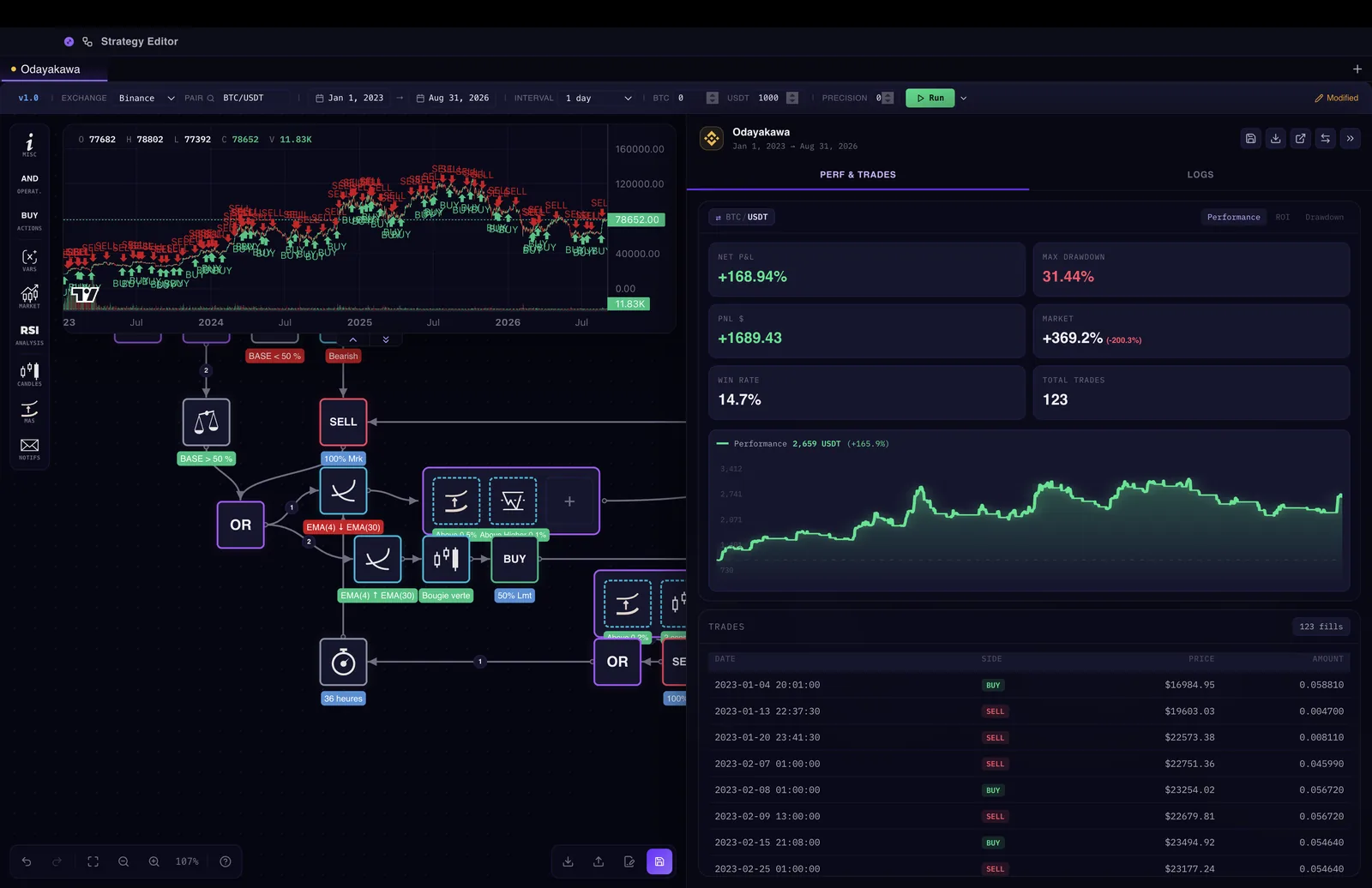
A finished KryllOS backtest: the candlestick chart with entries and exits marked, the performance panel on the right (+168.94% net PnL, 31.44% max drawdown, 123 trades) and the trade-by-trade log underneath.Backtest: tested on past market data, not a real result
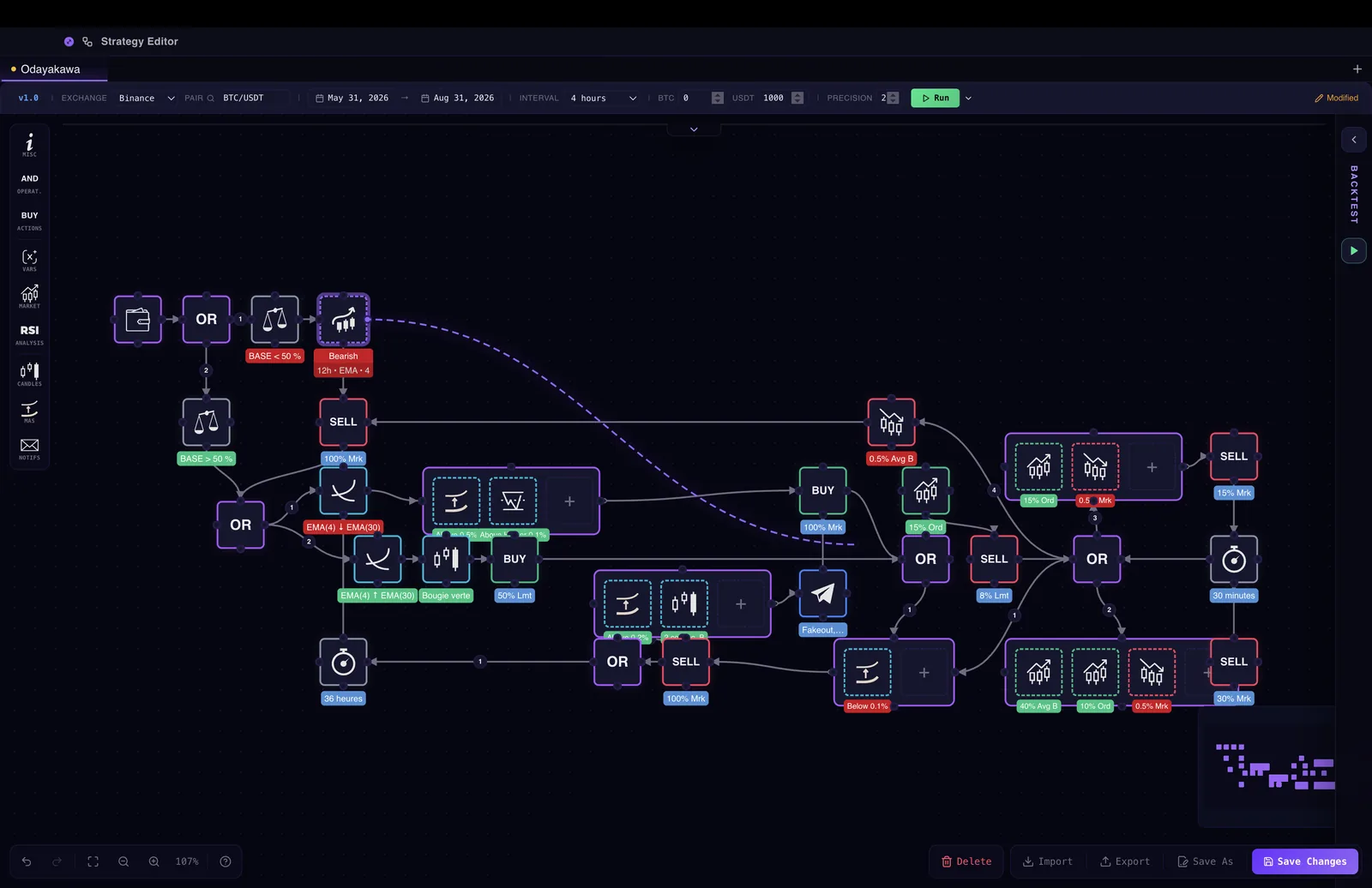
The KryllOS strategy editor: the Odayakawa strategy composed of linked blocks on the canvas (conditions, OR, BUY and SELL orders), with the tool palette on the left and the parameter bar (Binance, BTC/USDT, 4-hour interval) along the top.
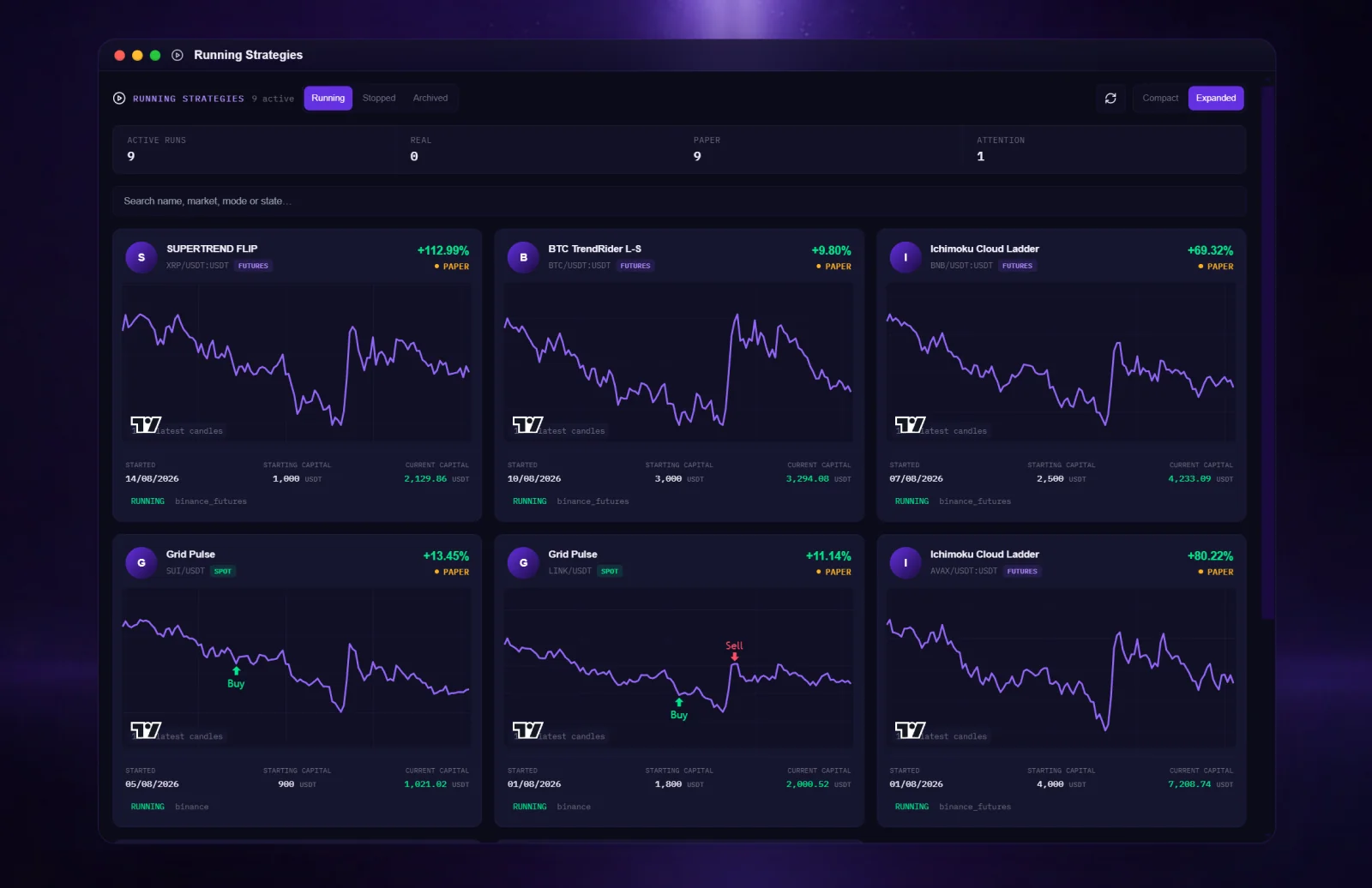
The KryllOS Running Strategies window: nine strategies running in paper mode, each on a card with its market (spot or futures), its price chart with the latest buy and sell marks, its starting and current capital, and its result (from +9.80% to +112.99%).Paper trading: simulated orders, no real funds
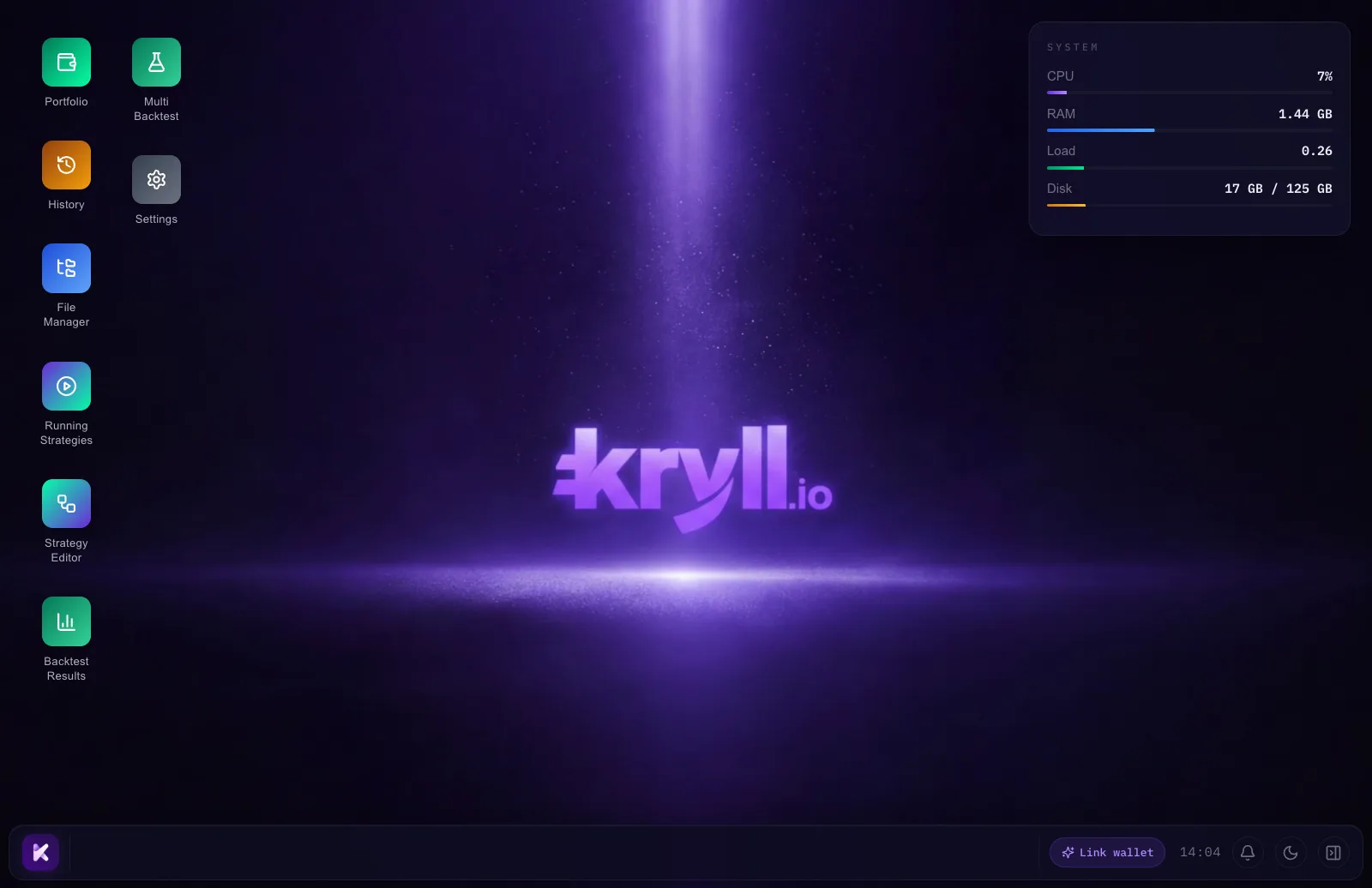
The KryllOS desktop: the app icons (Portfolio, History, File Manager, Running Strategies, Strategy Editor, Backtest Results, Multi Backtest, Settings), the system panel with CPU, RAM and disk use, and the taskbar.

What happens next

  1. Leave your email

    That is all we need.

  2. Get your access key

    We open KryllOS in waves. When yours opens, you get an email with your key and a link to Kryll Embark, the portal that serves the app.

  3. Install KryllOS

    Download it for macOS, Windows or Linux and install it on your machine.