Free, and open source soon
No subscription, and no trading commission taken by KryllOS. The source code is not on GitHub yet, but it is not hidden: KryllOS installs as readable source, and the code will be published for everyone.
KryllOS is a trading desktop you run yourself. Drag blocks to compose a strategy, replay it against real market history, then run it on the live market. All stays on your machine.
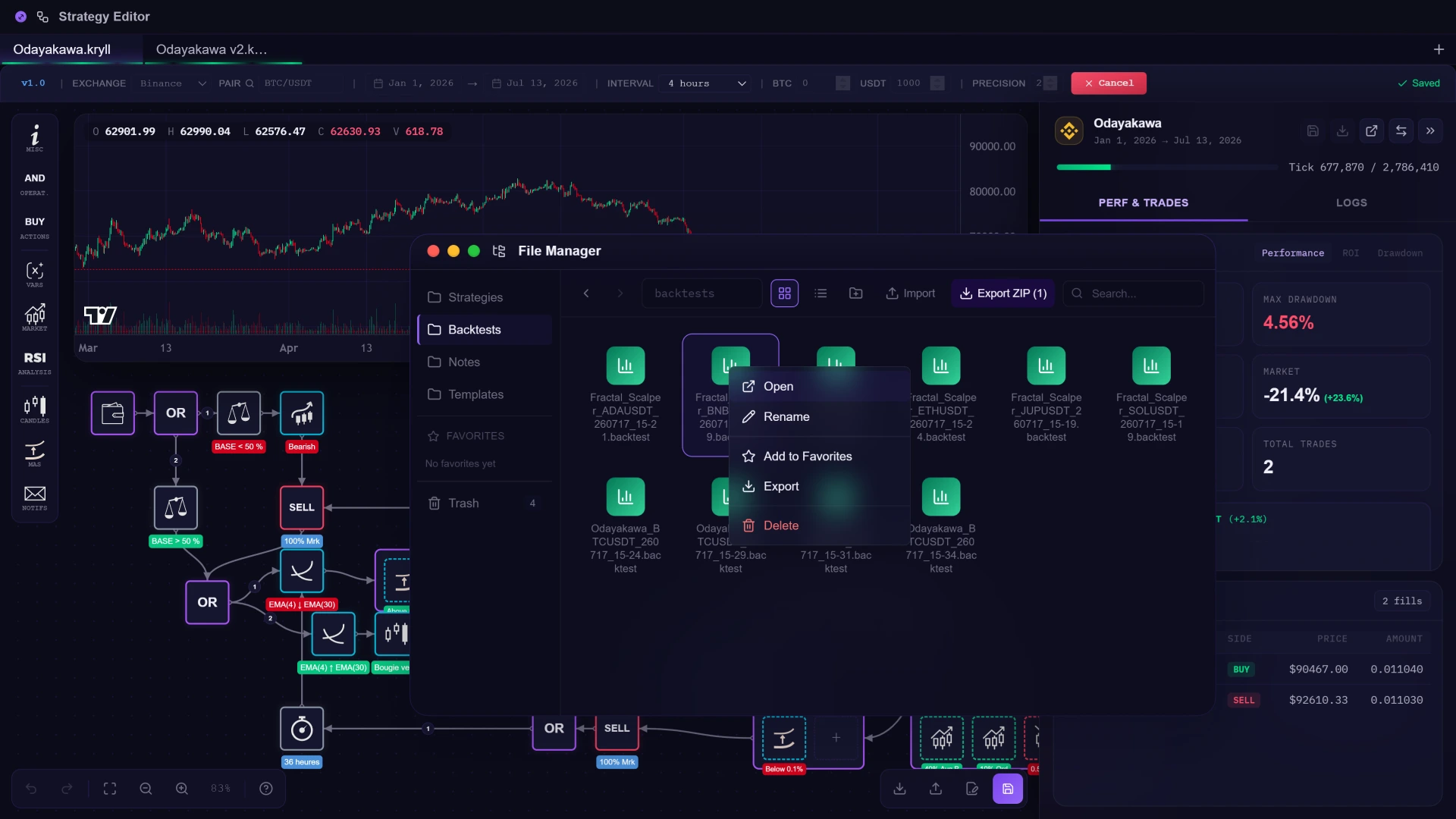 Backtest: tested on past market data, not a real result













No subscription, and no trading commission taken by KryllOS. The source code is not on GitHub yet, but it is not hidden: KryllOS installs as readable source, and the code will be published for everyone.
Runs on your machine. Your API keys stay there and are never sent to anyone. No SaaS, no custody, only you and your device. Full control over your data and your trades.
A visual drag-and-drop editor with 30+ native blocks. With KryllOS Skill, your own AI assembles a strategy on the canvas from a plain-language description. You still read it, edit it, and own it.
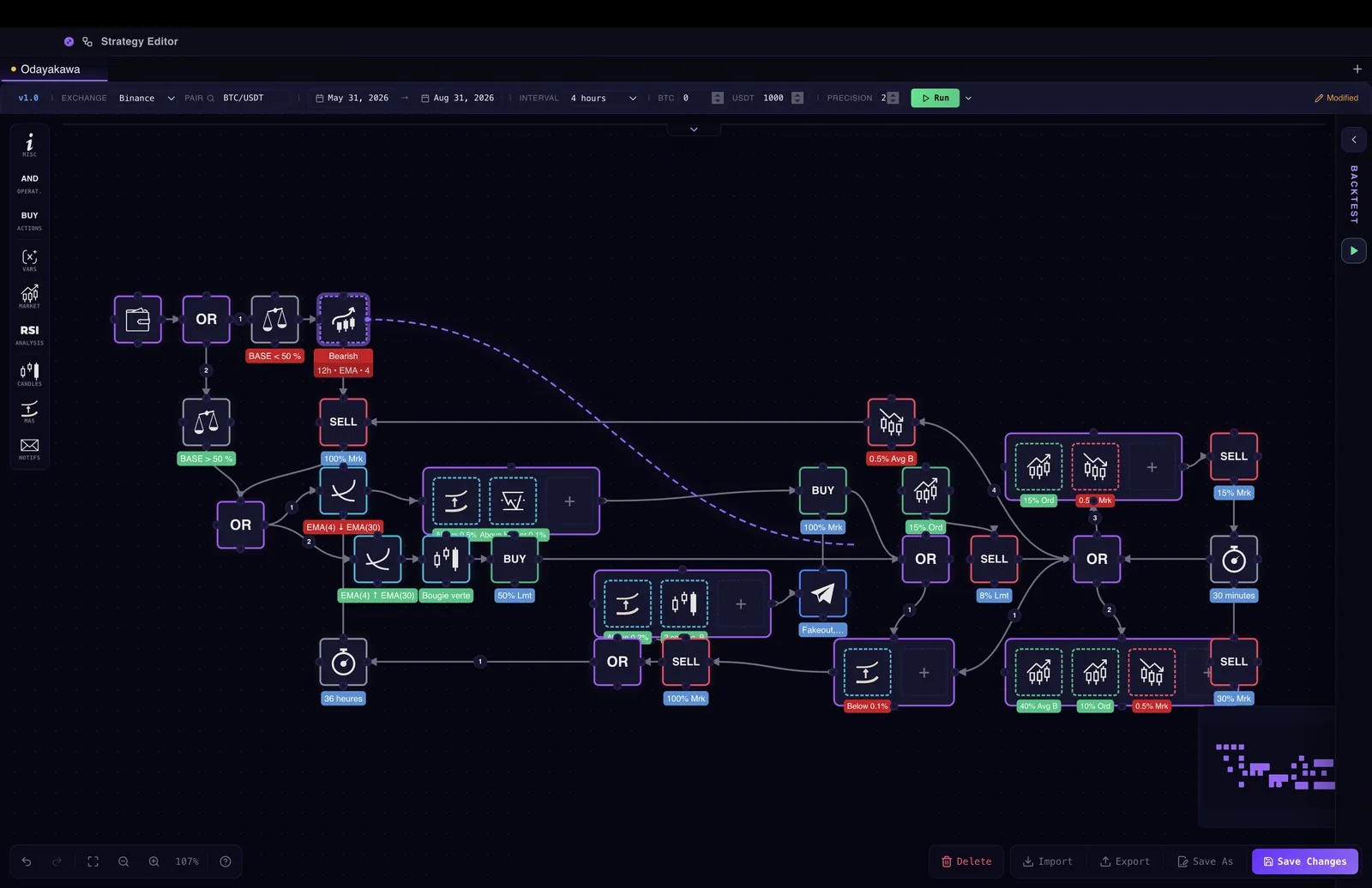
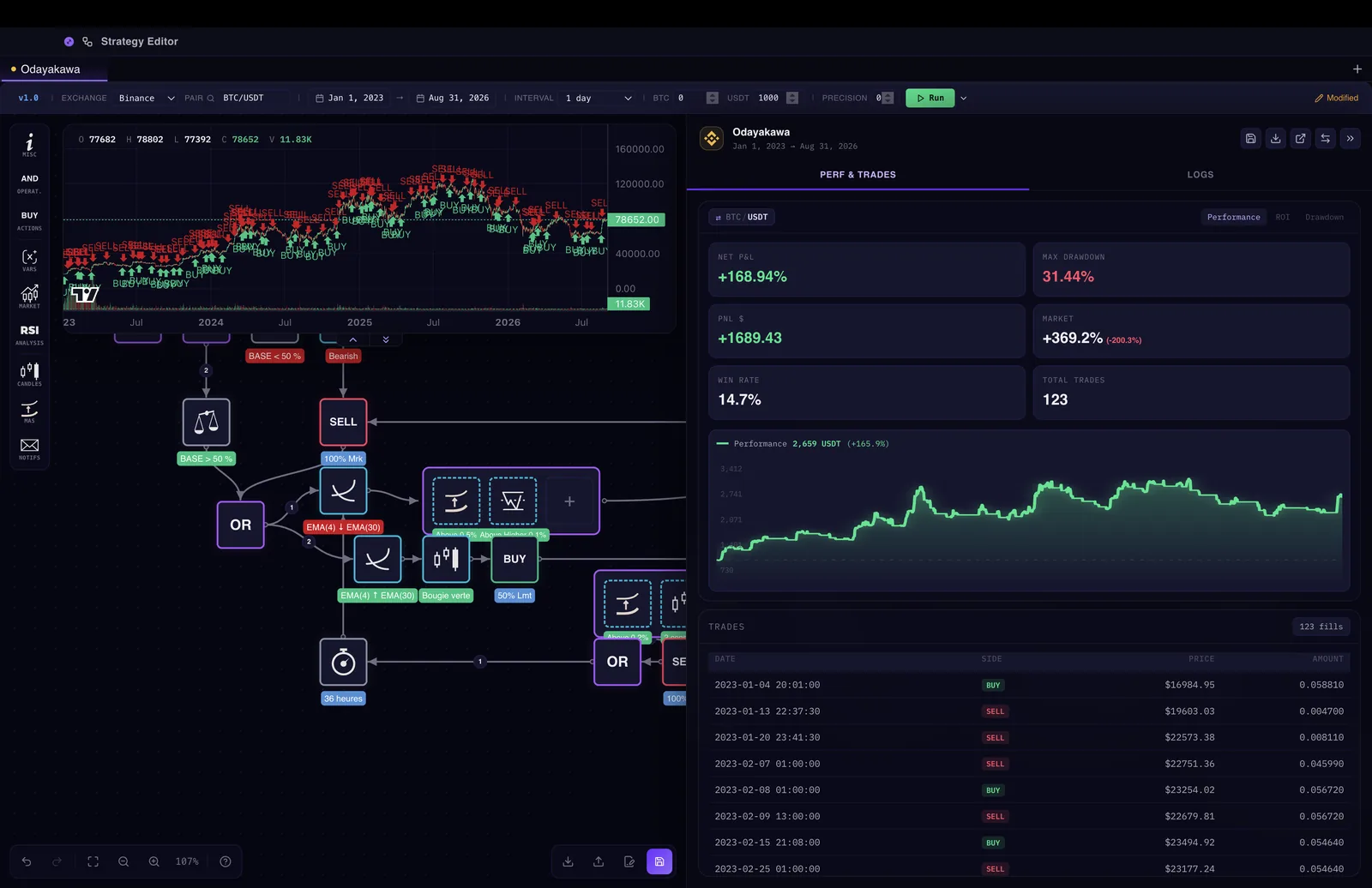 Backtest: tested on past market data, not a real result
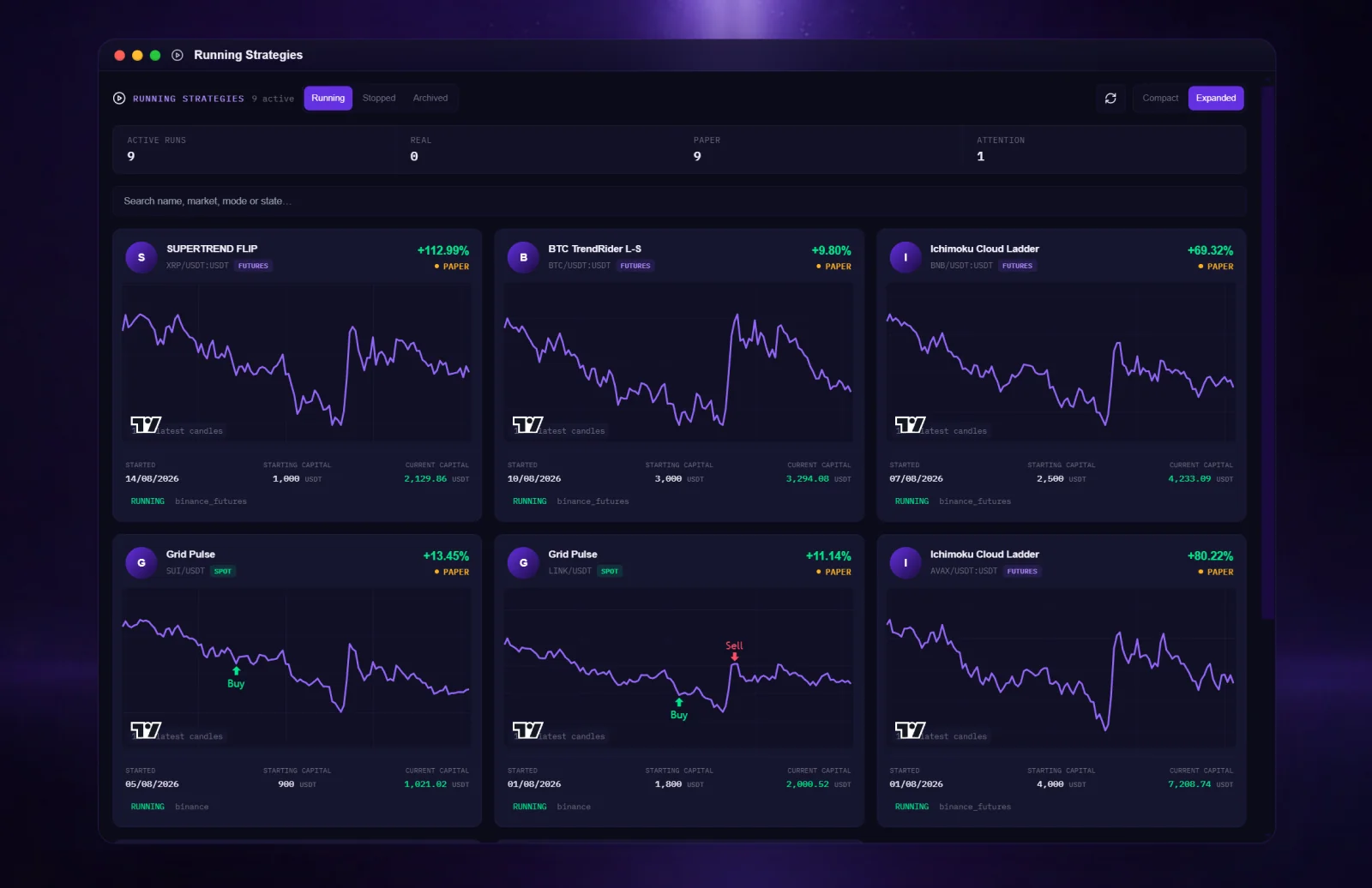 Paper trading: simulated orders, no real funds
KryllOS connects to your own exchange account. You create the API key yourself, you paste it into the app, and it stays on your disk, never on a server of ours. Three exchanges are supported today, and more are being wired in. Whether each one is available to you depends on your country of residence: check that it is authorised where you live.
 BinanceSpot & futures
 CoinbaseSpot
 HyperliquidPerpetuals
 KuCoinPlanned
 Gate.ioPlanned
 Kraken
You don't have to build anything from scratch. The community marketplace has everything you need: strategies, custom blocks, AI skills, and apps, ready to install and run.
Browse and download ready-to-launch trading strategies, custom indicator blocks, AI skills, and KryllOS apps. One click to install, instant to run, no coding required.
Every item on the marketplace is built by traders like you. Rate, review, and fork published strategies. The best creations rise to the top through community curation.
Publish your strategies, custom blocks, or apps and set your own price in KRL. The largest share of every sale goes to you.
A share of every marketplace purchase funds marketing, partnerships and community programs, including rewards for contributions to the ecosystem.
The editor and the backtest engine ship today. The store comes later, and what goes in it is what people are making now.
How the marketplace worksKRL is the currency of the Kryll marketplace, the store where the community publishes bots, custom blocks and apps. Every purchase is split three ways: the largest share goes to whoever built what was bought, another funds the growth of the ecosystem, and the last funds Kryll. No new KRL will ever be created.
The token, in fullThe ones we get asked most. Anything they miss, we answer.
Yes. There is no subscription, and no trading commission taken by KryllOS. Your exchange still charges its own fees, and a VPS or an AI provider, if you use one, bills you directly. Kryll plans to earn from optional AI tokens, marketplace commissions and exchange referral programs. A referral share is paid by the exchange out of its own fees: it adds nothing to what you pay, and nothing is taken from your trades.
KryllOS runs on your own machine (your computer or a VPS). Your exchange API keys stay on that machine and are never sent to our team. There's no cloud server holding your keys, your strategies or your funds. You have full sovereignty over your trading infrastructure.
Not at all. The KryllOS visual drag-and-drop editor lets you build strategies by connecting blocks, like Scratch or Node-RED. KryllOS Skill adds vibecoding: you describe your strategy in plain language and your own AI agent (Claude Code, Codex, Gemini…) builds it for you.
Vibecoding means describing a strategy in plain language and letting an AI build it. In KryllOS, that goes through KryllOS Skill: the AI agent you already use (Claude Code, OpenAI Codex, Gemini CLI…) places the blocks in the visual editor, backtests them, and hands you a strategy you can read and edit.
Binance (spot and futures), Coinbase (spot) and Hyperliquid (perpetuals) are supported today. KuCoin, Gate.io and Kraken are planned. Spot and futures live in the same strategy.
KRL is the native utility token of the Kryll ecosystem (ERC-20, max supply 49.4M). It will pay for purchases in the KryllOS marketplace, which is coming (bots, custom blocks and apps), and for the optional paid features of KryllOS. Each marketplace purchase will be split between the creator, the growth of the ecosystem, and Kryll, out of KRL actually spent. No new KRL will ever be created.
KryllOS is a product of Kryll, the team that has been building automated crypto trading tools since 2017. It is a desktop application that runs on your own machine: a multi-window workspace where the strategy editor, your backtests and your files sit side by side.
Yes. Custom blocks let you extend the editor beyond native blocks. You can code them yourself and import them, or describe them to your AI with KryllOS Skill. Downloading community blocks from the marketplace is coming. Once installed, custom blocks work exactly like native ones.
Download the desktop app, connect an exchange with a read-and-trade key, and keep the key on your machine. Nothing to subscribe to.